• Skip to primary navigation
  • Skip to main content
  • Skip to primary sidebar
  • Home
  • News
  • Reviews
  • Organizing
  • Editing
  • Ideas
  • Explainers
  • Photo-editing A-Z
  • About

Life after Photoshop

  • Lightroom Classic
  • Capture One
  • Nik Collection
    • Analog Efex
    • Color Efex
    • Silver Efex
    • HDR Efex
    • Viveza
    • Sharpener
    • Dfine
    • Perspective Efex (retired)
  • DxO PureRAW
  • ON1 Photo RAW
  • Exposure X

Adobe Lightroom (CC)

Adobe Lightroom (2025)
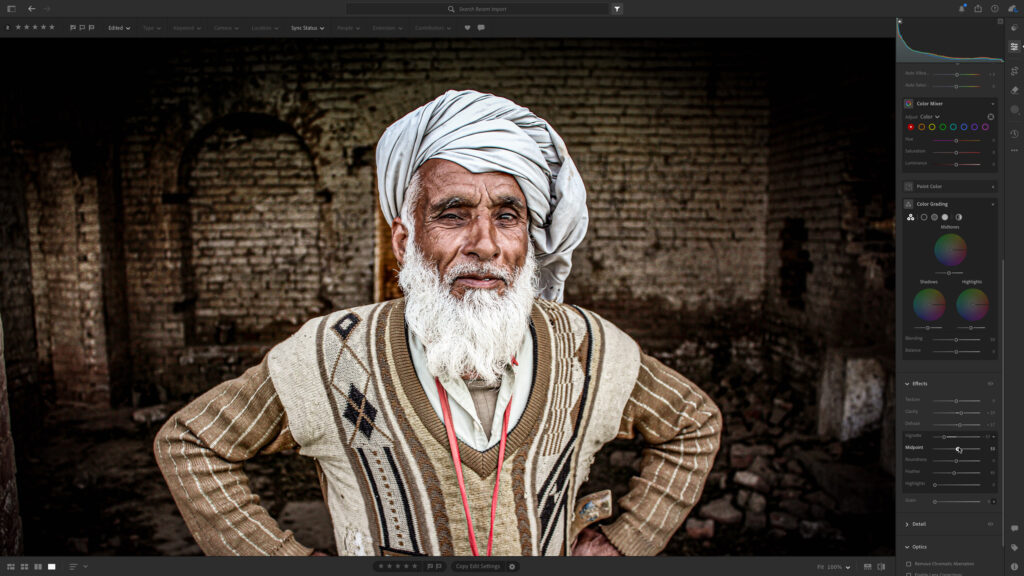
Adobe Lightroom (2025). Photo by Zeesha on Unsplash

This is the 'web first' version of Lightroom. It's a streamlined version of the original Lightroom Classic software and stores your images online in 'the cloud' so that they are available to all your devices everywhere. The extra storage needed does bring extra subscription costs, and while the editing tools are the same as Lightroom Classic's, the organisational tools are a little more basic.

Read more related articles below and read this full Lightroom review

How to use the Lightroom adjustment brush tool to dodge and burn your colour shots

September 24, 2013 by Rod Lawton

Lightroom adjustment brush

Dodging and burning was a standard darkroom technique for black and white photographers, but it works just as well on colour shots. ‘Dodging’ is where you lighten selected areas of the image and ‘burning’ is where you darken them. With the Lightroom adjustment brush tool this is really easy to do, and you can control […]

Filed Under: TutorialsTagged With: Lightroom (CC)

  • « Go to Previous Page
  • Page 1
  • Page 2
  • Page 3
  • Page 4

Primary Sidebar

Subscribe to this site

Enter your email address to subscribe to Life after Photoshop and receive notifications of new posts by email.

Adobe Lightroom: what is it, where do you get it, what does it cost in 2025?

Adobe Lightroom is not one program but three. You could … [Read More...] about Adobe Lightroom: what is it, where do you get it, what does it cost in 2025?

The best photo editing software for organizing, editing, RAW and effects

Choosing the best image editing software used to be easy. … [Read More...] about The best photo editing software for organizing, editing, RAW and effects

Layers explained

Layers explained: what they do and how to use them

Layers are a central part of many photo editing processes, … [Read More...] about Layers explained: what they do and how to use them

BAN adjustments… Basic And Necessary image corrections to do first

Photo editing software does two quite different jobs. It can … [Read More...] about BAN adjustments… Basic And Necessary image corrections to do first

More Posts from this Category

Mission statement

Life after Photoshop is not anti-Photoshop or anti-subscriptions. It exists to showcase the many Photoshop alternatives that do more, go further, or offer more creative inspiration to photographers.

Affiliate links

Life after Photoshop is funded by affiliate links and may be paid a commission for downloads. This does not affect the price you pay, the ratings in reviews or the software selected for review.

Contact

Email lifeafterphotoshop@gmail.com

Copyright © 2026 Life after Photoshop · News Pro on Genesis Framework · WordPress · Log in

We use cookies to ensure that we give you the best experience on our website. If you continue to use this site we will assume that you are happy with it.